NoFileUpload vs ExifPurge: Remove EXIF Data Without a Mac App
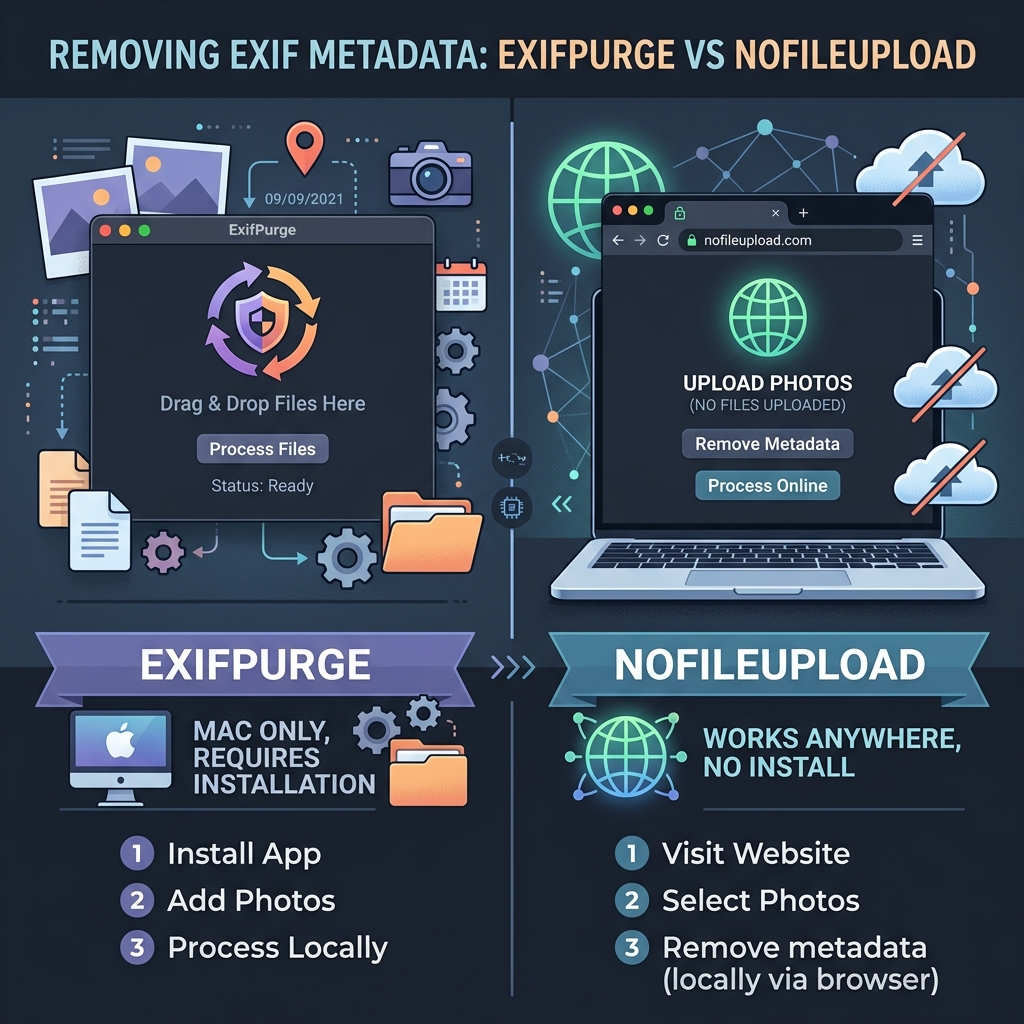
Most people don't think about what's hiding inside their photos until something goes wrong. A photo posted online with GPS coordinates embedded — coordinates that point directly to your home, workplace, or the school your child attends. EXIF metadata makes this possible, and it's there by default in every photo taken with a smartphone or digital camera.
ExifPurge is a Mac application built specifically to strip this data. It's clean, it's free, and it does the job well. Drop photos in, click process, the metadata is gone. For Mac users who want a dedicated desktop tool for this, it's a reasonable choice.
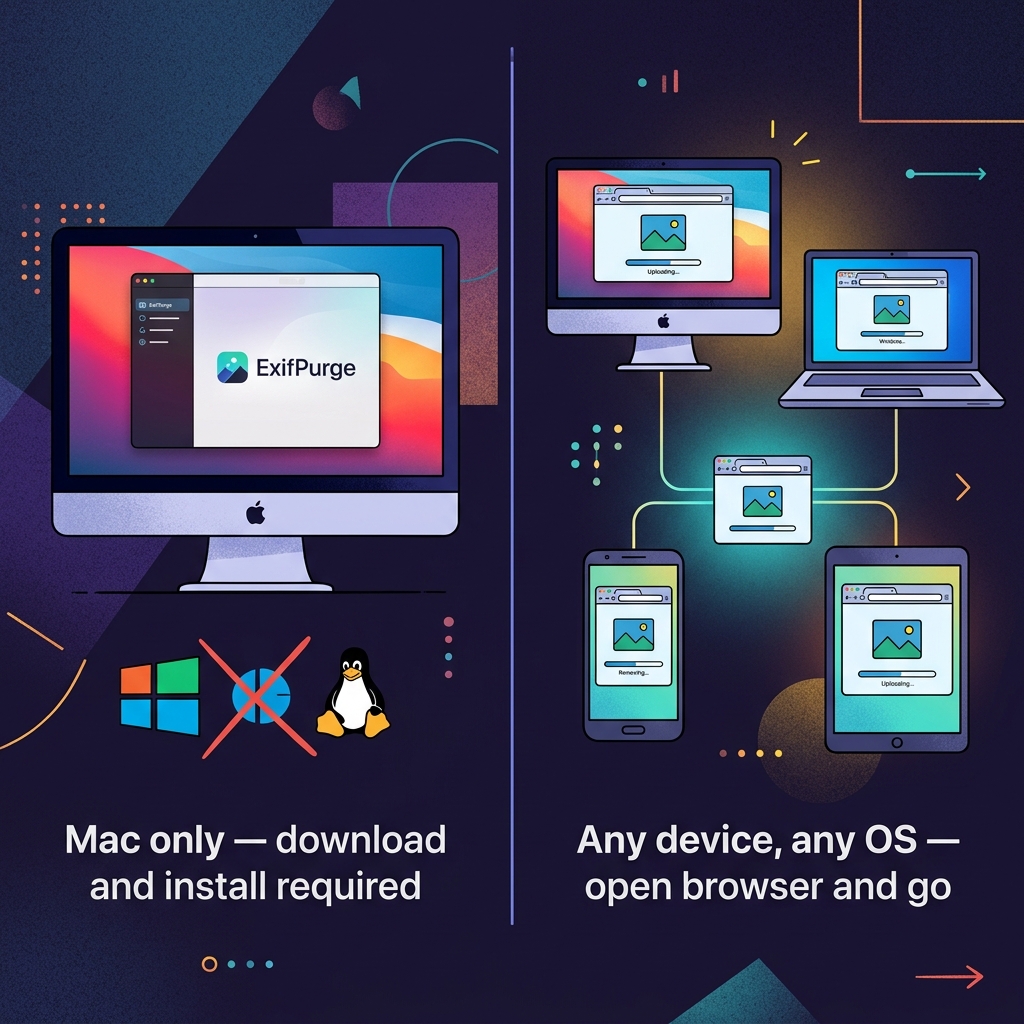
The limitation is the one you've probably already guessed: it's Mac-only. There's no Windows build, no Linux version, and no web interface. For anyone not on a Mac — or on a Mac but unwilling to install yet another app for a task they do occasionally — a different approach is needed.
What EXIF metadata actually contains
Before comparing tools, it's worth being specific about what's at stake. EXIF data is a block of structured information embedded in JPEG and other image files at the moment of capture. The camera or phone writes this automatically, and most people have no idea it's there.
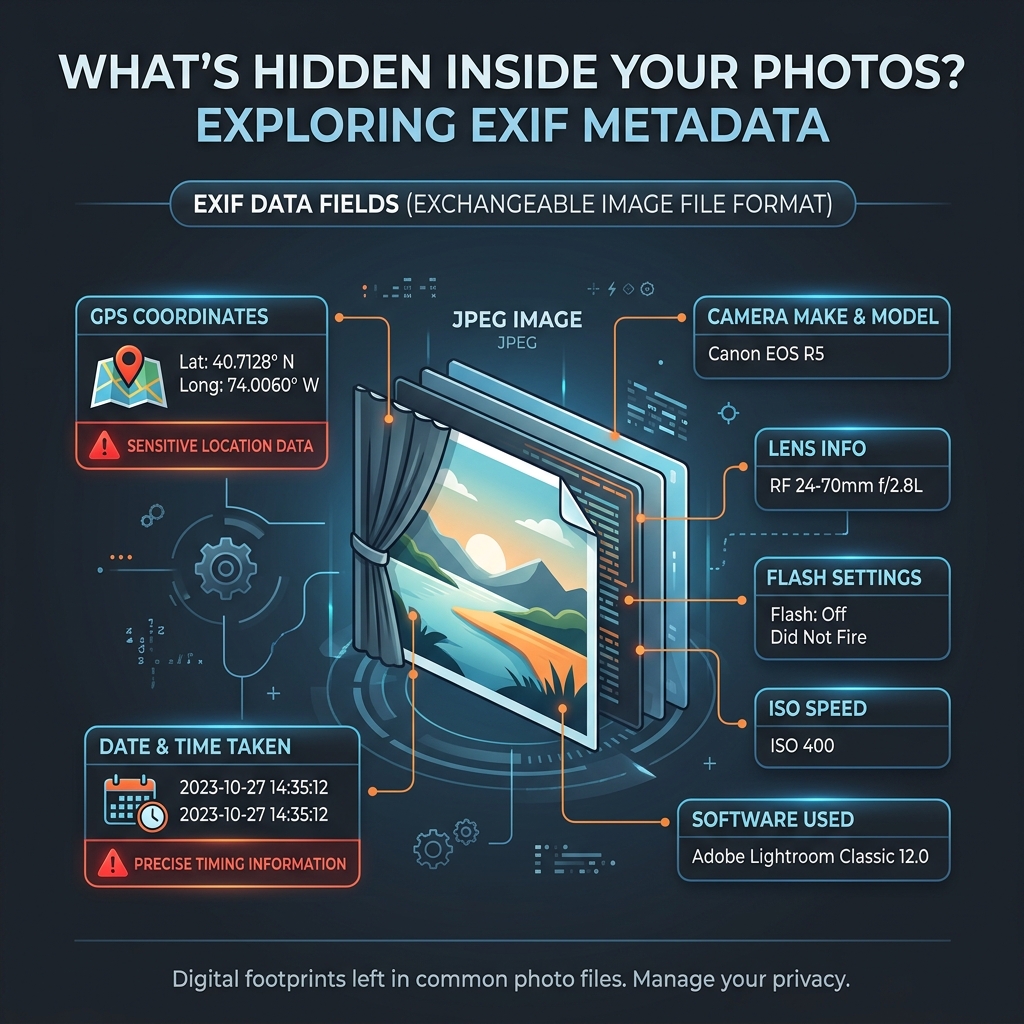
The fields that matter most from a privacy standpoint are GPS coordinates and timestamp. A GPS-tagged photo gives anyone who receives it your precise location at a specific moment in time. Combined with patterns across multiple photos, this is enough to reconstruct a detailed picture of someone's daily movements. Social platforms like Instagram and Twitter strip this data automatically when you upload, but direct shares via email, messaging apps, or AirDrop pass the full file with all metadata intact.
ExifPurge: what it does and doesn't do
ExifPurge is a lightweight Mac app with a simple interface. You drag photos onto it, it strips all EXIF data from copies of those files, and saves the clean versions. It processes photos locally — nothing goes to a server — and it handles batch processing well. For someone on Mac who regularly needs to clean photos before sharing, it works cleanly.
What it doesn't do: it only removes metadata. It doesn't compress images, resize them, convert formats, or handle any file type other than standard photo formats. And it only runs on macOS. No Windows, no Linux, no way to use it from a phone or tablet.
How NoFileUpload handles metadata removal
NoFileUpload's metadata remover works in the browser using JavaScript. Drop photos into the tool, and it reads the file, strips all EXIF and metadata fields, and hands back a clean version — no upload involved. The file stays on your device throughout the process.
Privacy-wise, both tools are equivalent: neither sends your photos to a server for processing. The difference is platform. NoFileUpload works on Windows, Mac, Linux, Android, iOS, or any other device with a modern browser. You don't install anything. If you're on a colleague's computer or a device you can't install software on, you can still clean your photos in 30 seconds.
Beyond metadata removal, NoFileUpload covers compression, resizing, HEIC conversion, GPS-specific removal, bulk metadata stripping, and PDF and audio metadata tools. If you need more than just metadata cleaning, you don't need to open additional apps.
Side-by-side comparison
| Feature | NoFileUpload | ExifPurge |
|---|---|---|
| Platform support | ✅ Any OS (browser) | ⚠️ Mac only |
| Installation required | ❌ No install | ✅ Must install app |
| Removes all EXIF data | ✅ Yes | ✅ Yes |
| Removes GPS coordinates | ✅ Yes | ✅ Yes |
| Removes camera model & timestamps | ✅ Yes | ✅ Yes |
| Files sent to server | ❌ Never | ❌ Never (local app) |
| Bulk / batch processing | ✅ Yes | ✅ Yes |
| View metadata before removing | ✅ Yes (viewer tool) | ❌ No |
| GPS-only removal option | ✅ Yes | ❌ No (removes all) |
| Image compression | ✅ Yes | ❌ No |
| Image resizing | ✅ Yes | ❌ No |
| HEIC to JPG conversion | ✅ Yes | ❌ No |
| PDF metadata tools | ✅ Yes | ❌ No |
| Free to use | ✅ Yes | ✅ Yes |
Which one to use
Use ExifPurge if: you're on a Mac, you want a native desktop app that integrates well with your file system workflow, and you specifically want to clean EXIF data at the application level rather than through a browser tab. For a Mac-centric workflow it's clean and reliable.
Use NoFileUpload if: you're not on Mac, you're on any device where installing software isn't practical, or you want to combine metadata removal with other tasks like compression or resizing without switching tools. The browser-based approach also means it works identically on a phone — handy if you want to clean photos before forwarding from your mobile device.
Frequently asked questions
Is there a Windows version of ExifPurge?
No. ExifPurge is Mac-only with no Windows or Linux release. Windows users can use NoFileUpload's EXIF remover, which works in any browser without installation.
Does ExifPurge remove GPS data from photos?
Yes. ExifPurge removes all EXIF metadata including GPS coordinates. NoFileUpload also strips GPS data, and additionally offers a GPS-only removal tool if you want to keep other metadata fields intact.
How do I remove EXIF data online without uploading my photos?
NoFileUpload's metadata remover processes photos entirely in your browser using JavaScript — nothing is uploaded to a server. Drop your photos in, the metadata is stripped locally, and you download the clean files.
What EXIF data gets removed?
A full removal strips GPS coordinates, camera make and model, date and time taken, lens information, ISO speed, flash settings, and all other embedded metadata. NoFileUpload removes all of these in one step.
Image Metadata Remover
Strip all EXIF data and hidden metadata from your photos before sharing them online. Protect your privacy in seconds.