NoFileUpload vs Squoosh: Two Browser-Based Image Tools Compared
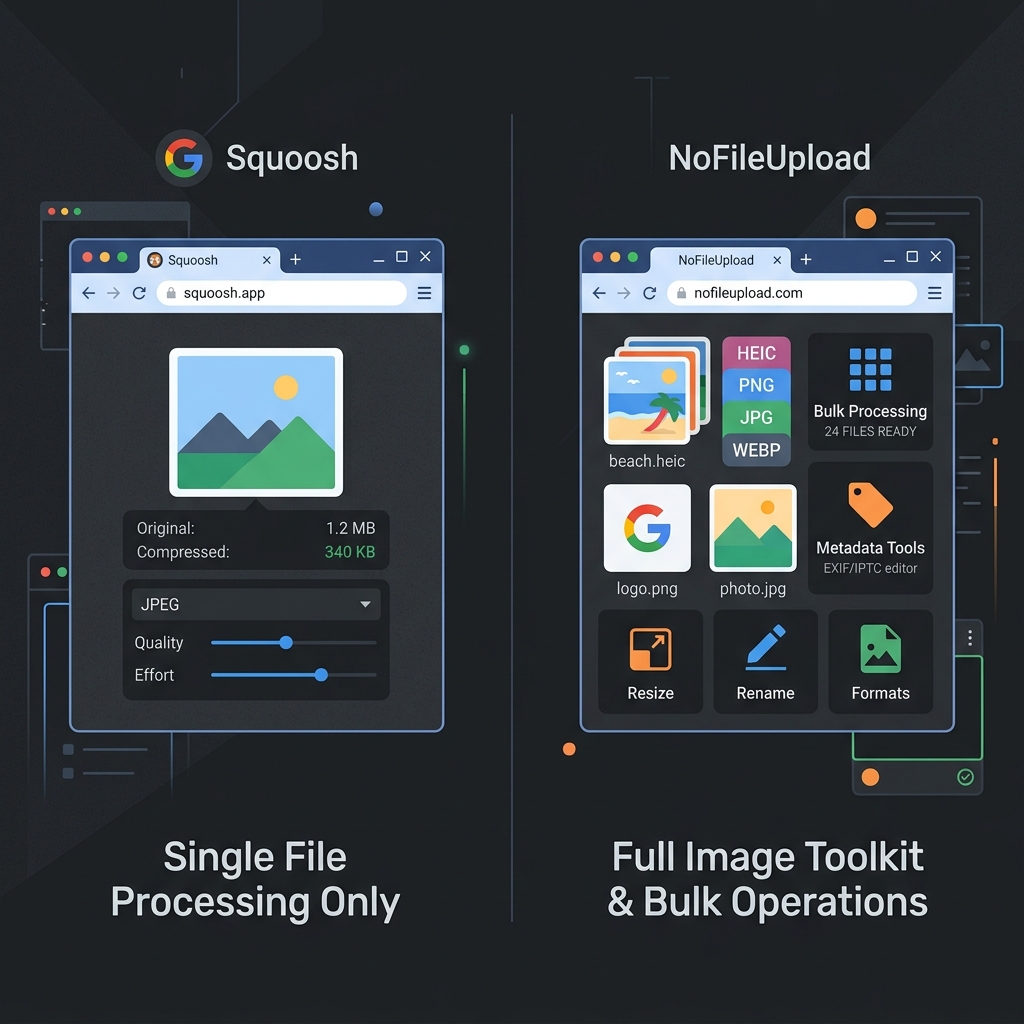
This comparison is a bit different from most tool matchups because both Squoosh and NoFileUpload are actually on the same side of the privacy question. Neither one uploads your files anywhere. Both run entirely in your browser. So if you've found this page wondering whether Squoosh sends your images to Google's servers — it doesn't. That's not what this comparison is about.
What it is about is scope. Squoosh and NoFileUpload do different things, for different types of users, in different situations. Getting that straight will help you pick the right tool faster than any feature chart can.
What Squoosh actually is
Squoosh is a project from Google Chrome Labs — not a commercial product, more like an open-source demonstration of what modern browsers can do with WebAssembly. The premise is simple: drag an image in, see a before/after slider, adjust the codec and quality settings, and download the compressed result.
Where it genuinely shines is in compression quality and codec flexibility. Squoosh lets you choose from MozJPEG, WebP, AVIF, JPEG XL, OxiPNG, and a handful of other codecs — each with fine-grained quality controls. If you want to experiment with AVIF compression and compare the result to a WebP at the same visual quality, Squoosh is the best browser-based tool for that kind of hands-on exploration. Developers optimizing images for a website often reach for Squoosh specifically because of this level of control.
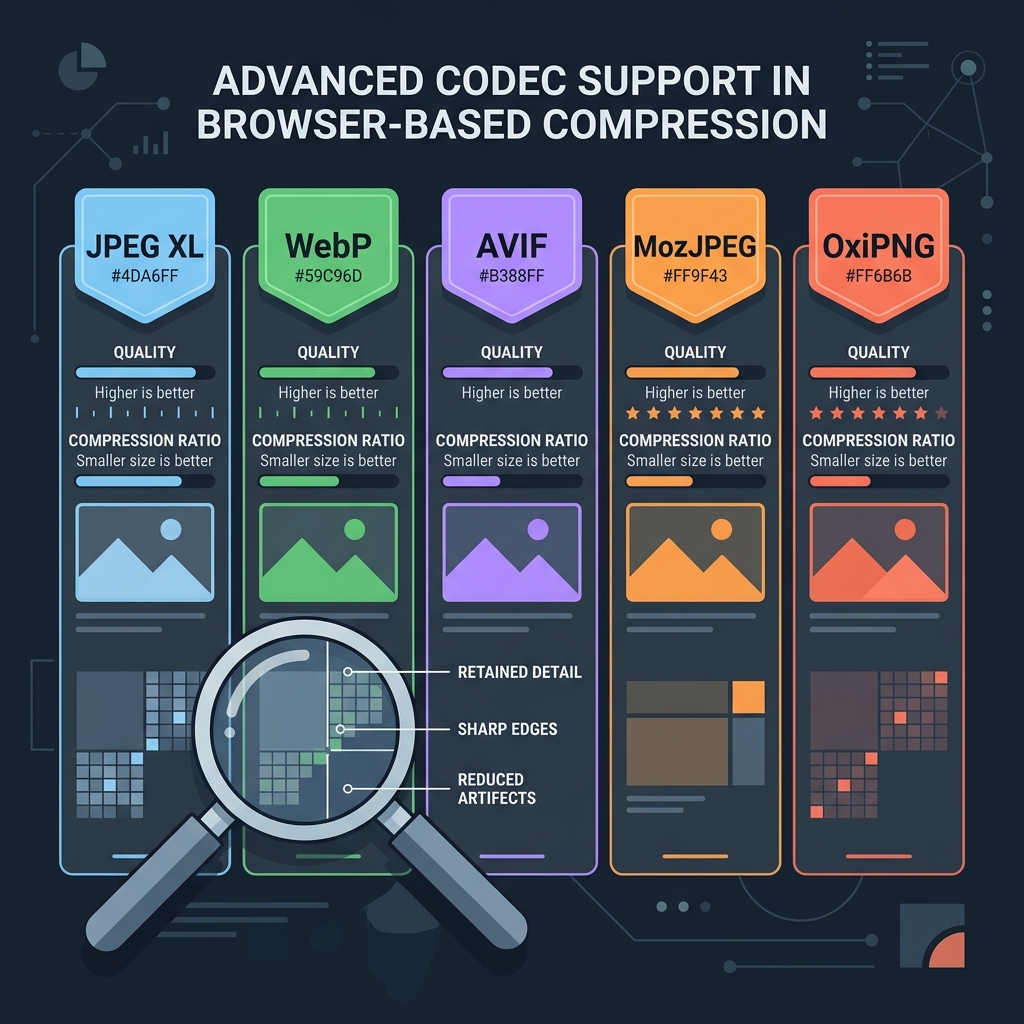
The limitation is just as straightforward: Squoosh handles one file at a time. There is no batch mode. You can't drop a folder of 30 photos in and compress them all. Each image needs its own session. There's also no EXIF stripping, no metadata viewer, no HEIC conversion, no PDF tools. It's a precision compression instrument — great at that one job, not designed to be anything broader.
What NoFileUpload covers instead
NoFileUpload is built around a different idea: a toolkit for everyday file tasks that people need to do privately, without installing software and without uploading anything. Compression is one part of it, but it's not the whole picture.
For someone who comes home with 40 iPhone photos in HEIC format and needs to compress them, strip the GPS data, and convert them to JPG so they can share them by email — that's a three-step job. NoFileUpload does all three steps. Squoosh does one of them, for one file at a time, and doesn't touch HEIC without a conversion step.
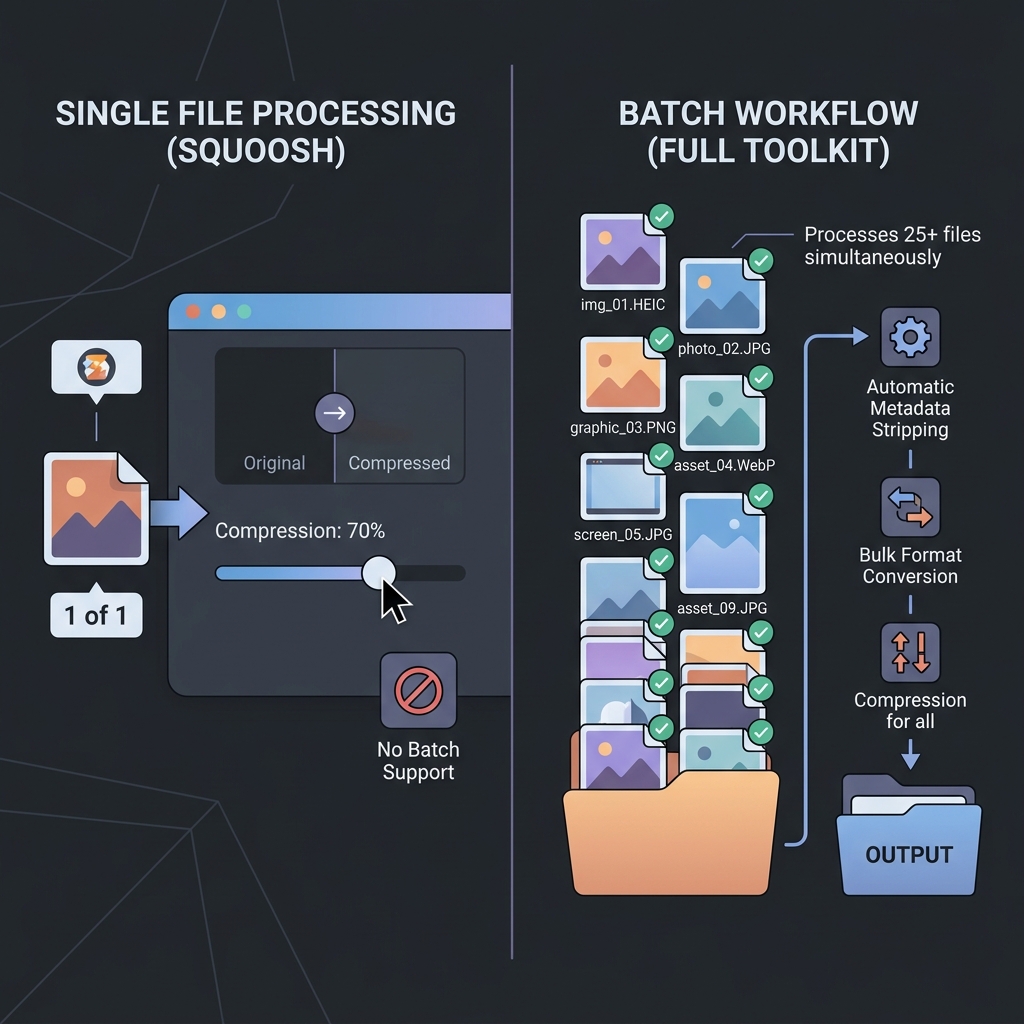
The compression in NoFileUpload is also genuinely good — it just trades some of Squoosh's granular codec options for simplicity and workflow speed. You're not getting the same level of AVIF fine-tuning, but for most real-world use cases you're also not going to notice the difference in the output.
Side-by-side comparison
| Feature | NoFileUpload | Squoosh |
|---|---|---|
| Files uploaded to server | ❌ Never | ❌ Never |
| Works offline | ✅ Yes | ✅ Yes |
| Bulk / batch compression | ✅ Yes | ❌ No (one at a time) |
| Codec fine-tuning (AVIF, JPEG XL) | Basic options | ✅ Yes (advanced) |
| HEIC to JPG conversion | ✅ Yes | ❌ No |
| Image resizing | ✅ Yes | ✅ Basic |
| Remove EXIF / metadata | ✅ Yes | ❌ No |
| GPS location stripping | ✅ Yes | ❌ No |
| Image format conversion | ✅ Yes | ✅ Yes |
| PDF metadata tools | ✅ Yes | ❌ No |
| Audio metadata tools | ✅ Yes | ❌ No |
| Before/after preview slider | ❌ No | ✅ Yes |
| Open source | ❌ No | ✅ Yes (Apache 2.0) |
| Free to use | ✅ Yes | ✅ Yes |
Who actually uses each tool
Squoosh is built for developers and technically inclined people who want precise control over image output. If you're building a website and want to experiment with exactly how much file size you lose when you push an image from MozJPEG quality 80 to quality 75, Squoosh lets you see that in real time with a pixel-level comparison slider. That's genuinely useful for performance-sensitive web work.
NoFileUpload is built for a broader set of tasks — the kind of everyday file work that regular people and professionals do without wanting to think about codecs. A journalist cleaning metadata from photos before publishing. A freelancer stripping their company name from a proposal PDF. Someone converting a folder of iPhone HEIC photos so they can email them to a relative who uses Windows.
These tools serve genuinely different users. The good news is that both are free, both are private, and you can use both without any conflict.
The honest verdict
Use Squoosh if: you're a developer or designer who wants to compare codecs, fine-tune compression quality with precision, or explore the before/after impact of different compression settings on a single image. It's excellent for that specific use case.
Use NoFileUpload if: you need to process more than one image at a time, need to handle HEIC files, want to strip EXIF metadata, resize photos, or deal with anything beyond pure compression — all without installing anything or uploading anything.
If you do image work regularly, keep both bookmarked. They're not really competing — Squoosh is a precision tool for one job, and NoFileUpload is a toolkit for many. Use whichever one fits what you're actually trying to do.
Frequently asked questions
Does Squoosh upload images to Google's servers?
No. Squoosh is fully client-side — all processing happens in your browser using WebAssembly. Your images never leave your computer. On privacy, Squoosh and NoFileUpload are identical: neither uploads anything.
Can Squoosh compress multiple images at once?
No. Squoosh only processes one image at a time with no batch mode. For bulk compression without uploading, NoFileUpload supports multiple files processed locally.
Is Squoosh better than other image compressors?
For single-image compression with granular codec control, Squoosh is exceptional. But it doesn't handle EXIF removal, HEIC conversion, bulk processing, or anything beyond compression and basic resizing.
What is a good Squoosh alternative with batch processing?
NoFileUpload handles bulk image compression, HEIC to JPG conversion, image resizing, and metadata removal — all browser-based and without any file uploads.
Image Compressor
Compress JPEG, PNG, and WebP images with a quality slider. Reduce file size instantly — no uploads, no quality guessing.