Education
What Is EXIF Data? A Simple Guide to Photo Metadata
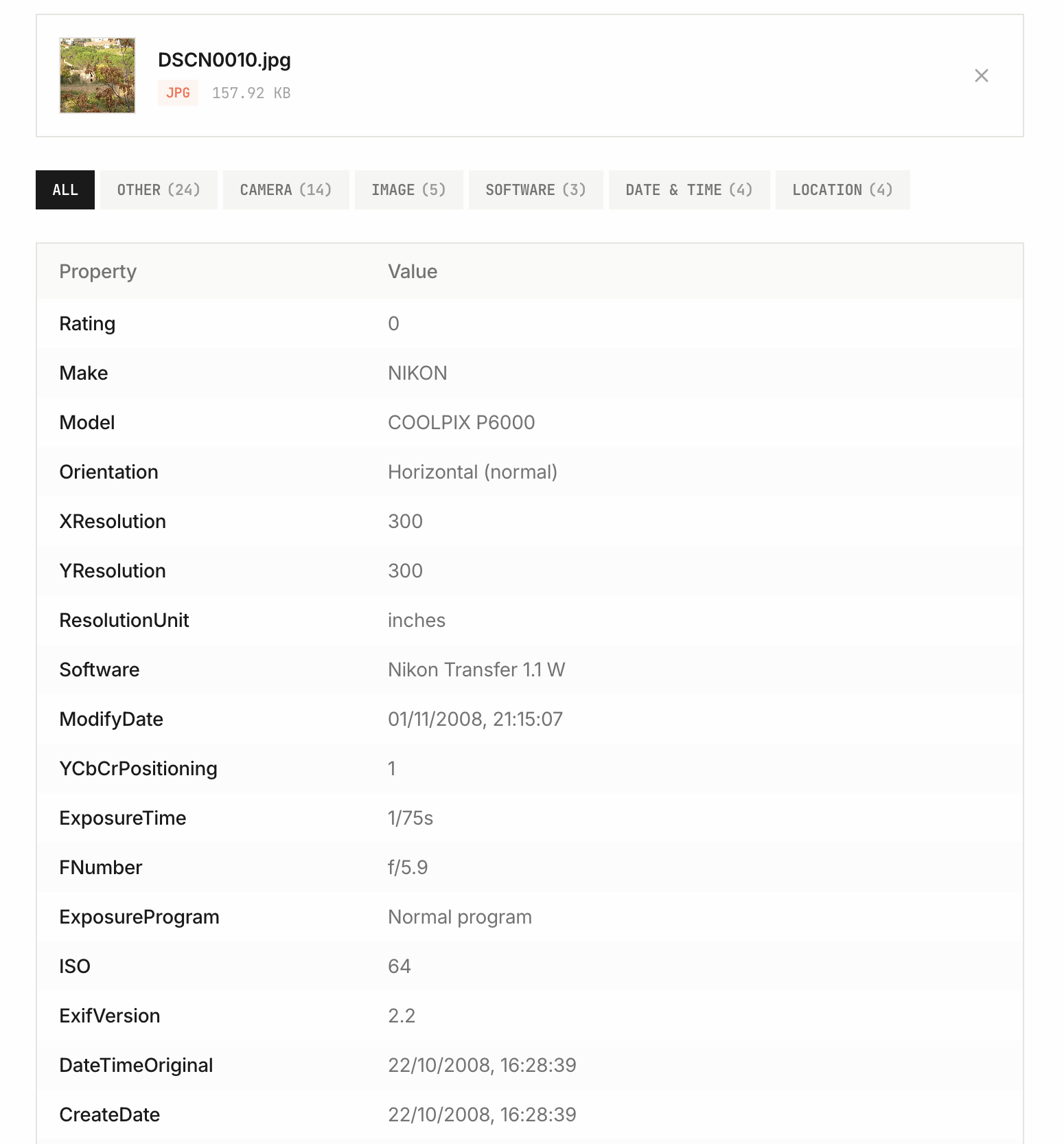
EXIF is metadata that a camera, phone, or editing application can store inside an image. It can describe the camera model, exposure settings, capture time, orientation, and sometimes GPS coordinates. A photo can contain some of these fields, all of them, or none.
Use the EXIF viewer to check the fields actually present in your file. Selecting an image reads it locally in your browser.
How to read common EXIF fields
This is an illustrative example, not evidence about a particular photograph:
| Field | Example | Meaning |
|---|---|---|
| Make / Model | Apple / iPhone 15 Pro | The device name recorded in the file |
| DateTimeOriginal | 2024:09:20 16:45:12 | Recorded capture time; a timezone may be absent |
| ExposureTime | 1/240 | Shutter time in seconds |
| FNumber | 1.8 | Recorded aperture |
| GPSLatitude / GPSLongitude | Present or absent | Location, if stored by the camera or another application |
EXIF, IPTC, XMP, and ICC are different
EXIF commonly holds capture settings. IPTC describes editorial fields such as captions, creator credits, and keywords. XMP can carry descriptive and editing information. An ICC profile describes color interpretation. A file may use more than one of these, so an empty EXIF section does not prove that every kind of metadata is absent.
To check an embedded color profile, follow the ICC profile guide with tested sRGB, P3-compatible, and untagged examples. An EXIF ColorSpace value and an application's default interpretation are separate from an embedded ICC block.
For a tested caption, creator, copyright, and keyword comparison, follow the IPTC, EXIF, and XMP guide. For those tasks, use the IPTC viewer or ICC profile viewer. To collect fields from many photos, use Bulk EXIF to CSV.
The photo-inventory CSV guide includes tested images and a reference export showing recorded dates, missing fields, and error rows.
Why camera information or GPS may be missing
- The camera did not record the field, or location tagging was disabled.
- The file is a screenshot, scan, or generated image without camera capture metadata.
- An editor, conversion, export, or sharing service removed or replaced fields.
- The image format or metadata variation is not supported by the parser.
Work with the original camera file when possible. A copy downloaded from another service can have different metadata from the original.
Can EXIF prove which camera took a photo?
It can show what the file records. It cannot authenticate the capture: metadata can be edited or copied. Use the camera detector to read make, model, and lens fields, and treat them as clues rather than proof. Its built-in sample demonstrates how results are displayed without needing a personal image.
For a walkthrough with downloadable phone, camera, stripped, and edited examples, see how to find which camera or phone took a photo.
Photo date taken versus file modified date
DateTimeOriginal normally represents the recorded capture time. EXIF DateTime describes a modification timestamp within the image. Your operating system also maintains separate filesystem dates, which may change when a file is copied or downloaded. These values do not have to match.
The EXIF Date Changer edits supported JPEG date fields. Check the before/after values in the viewer instead of assuming that a file manager displays the field you changed.
The photo date-correction walkthrough includes downloadable examples showing exactly how all three EXIF dates change and which timezone offsets remain.
Check and remove location before sharing
- Inspect the original image locally and look for GPS and identifying fields.
- Use Remove GPS from Photo for supported JPEG location fields, or the metadata remover for a broader cleanup.
- Download a copy, reopen it in the viewer, and check the fields you intended to remove.
Metadata removal cannot hide a visible address, face, landmark, or other detail in the pixels. Keep your original separately if you need it for an archive.
Image Metadata Viewer
View EXIF data, GPS coordinates, camera settings, and hidden metadata embedded in your photos — instantly and privately.